
Ask a warehouse IT manager what is wrong with the wireless network and you will usually hear the same three sentences: the signal looks fine, the scanners drop anyway, and it only happens during the afternoon peak. That pattern is not a hardware fault. It is the predictable result of designing a warehouse the way you would design an office floor — a grid of omnidirectional ceiling APs tuned for coverage radius — and then running a very different workload on top of it.
In 2026 the workload has changed again. Autonomous mobile robots, high-density handheld scanners, wearable voice-picking terminals, forklift-mounted computers, real-time telemetry and video-driven quality inspection have moved from pilot projects to operational dependencies. When the network stutters, the line stops. That is why the industrial wireless LAN market is now sized at USD 6.8 billion in 2026 by Morgan Reed Insights, on a path to USD 15.26 billion by 2035 at a 9.4% CAGR, and why the autonomous mobile robot warehouse logistics market reached USD 11.48 billion in 2026 according to The Business Research Company, up from USD 9.5 billion in 2025.
This guide is written for procurement teams, plant IT leads and system integrators specifying a warehouse or factory wireless LAN in late 2026 or 2027. It covers the interference sources that actually matter, the RF design rules that hold up under load, the roaming architectures that keep AGVs moving, and how the major vendor portfolios differ — with the practical lens of a value-added distributor that has to make multi-vendor bills of materials work in the real world.
1. Why the Warehouse Is the Hardest RF Environment in Enterprise Networking
The mental model that breaks most warehouse designs is the idea that coverage is the goal. Coverage is easy. A handful of APs can paint a 15,000 square metre facility green on a heatmap. What they cannot do is deliver airtime, predictable latency and clean handoffs to two hundred moving clients. In a warehouse the real constraints are capacity and determinism, and they are governed by five physical properties that an office simply does not have.
- Steel racking behaves as both waveguide and wall. A rows of loaded pallet racking guides RF energy along the aisle and attenuates it severely across rows. Design guidance published by Purple.ai puts the penalty at 5-7 dB for standard dry goods and cardboard pallets, 12-15 dB for dense steel racking with metal parts, and 16-20 dB in refrigerated cold storage holding bulk liquids. Open staging and dock areas sit at 2-4 dB.
- Height creates Fresnel zone problems. At a 36 ft clear height, an AP mounted directly on the roof deck places its first Fresnel zone into steel joists, sprinkler mains and lighting trays. The standard remedy is a conduit or unistrut drop to roughly 22 ft with about 20 degrees of mechanical downtilt so beam energy lands on the floor rather than on the top shelf.
- The RF environment is not static. Racking moves, stock density changes by season, dock doors open and close, and forklifts, cages and pallet trucks continuously rewrite the multipath picture. A design validated in January can degrade quietly by June.
- Clients, not APs, cause most failures. Most rugged handheld scanners are single-stream 1x1 SISO devices, frequently 2.4 GHz only in older fleets. Robots often ship with aggressive roaming thresholds. Voice devices are intolerant of latency. You design around the weakest critical client, never the newest one.
- Long sightlines spread contention. A tall open bay lets a client hear twenty APs instead of three. The client then associates to the wrong one, holds on too long, and generates a retry storm that consumes the airtime every other device needed.
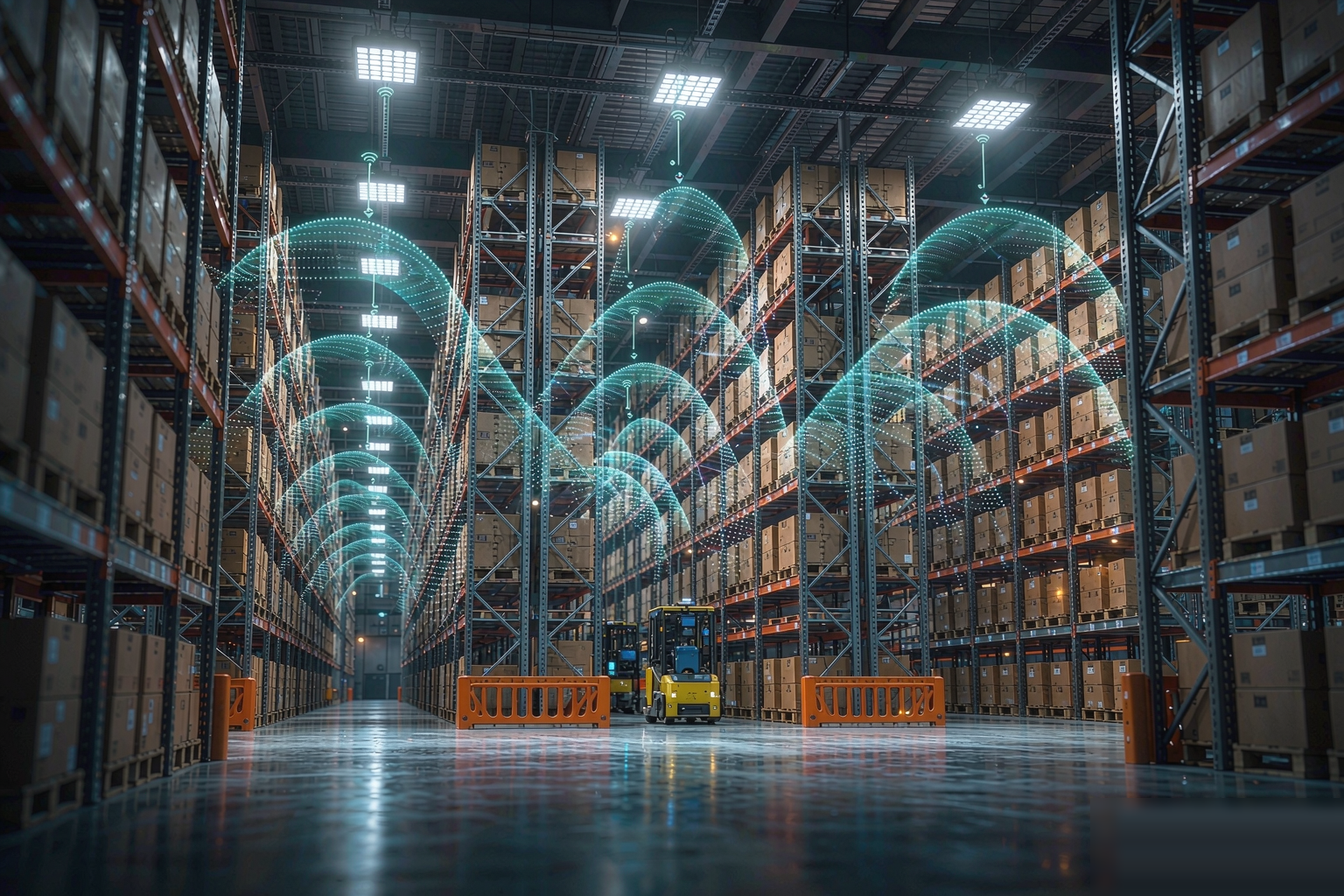
The consequence is a single design rule that separates working warehouse networks from failing ones: warehouse Wi-Fi is about controlled cells, not wide coverage. A smaller, cleaner cell almost always outperforms a large, noisy one — even when the large one measures better on a heatmap.
2026 Industrial Wireless Market at a Glance
- Industrial WLAN market: USD 6.8 B in 2026 → USD 15.26 B by 2035 (CAGR 9.4%, Morgan Reed Insights).
- Gigabit industrial wireless LAN segment: USD 1.43 B in 2026 → USD 3.23 B by 2032 (CAGR 14.5%, PW Consulting); North America held 32.7% share in 2025.
- AMR warehouse logistics market: USD 9.5 B in 2025 → USD 11.48 B in 2026 (CAGR 20.8%), on track for USD 24.67 B by 2030 (The Business Research Company).
- Warehousing autonomous mobile machines: USD 8.56 B in 2026 (PW Consulting), with Asia-Pacific the largest region at 36.7% share in 2025 and North America second at 32.2%.
- Demand driver: smart warehousing is the fastest-growing application segment as fulfillment robotics strain legacy Wi-Fi 5 infrastructure with simultaneous high-bandwidth video and control traffic.
2. The Interference Map: Seven RF Enemies Inside a Factory or Warehouse
Every wireless problem in an industrial site traces back to one of seven interference mechanisms. The first three are Wi-Fi-to-Wi-Fi and therefore fully under your control. The last four are not, and they are the reason a spectrum analyser belongs in every serious site survey.
| Interference type | Typical source | Practical mitigation |
|---|---|---|
| Co-channel contention | Too many APs audible on the same channel across long sightlines | Reduce transmit power, shrink cells, use directional antennas, raise the channel reuse distance |
| Adjacent-channel overlap | Channel plans that assume channels 1 and 2 do not overlap | Stick to 1, 6 and 11 on 2.4 GHz; use non-overlapping 20 MHz plans on 5 GHz; never widen channels to fix capacity |
| Excessive AP visibility | High ceilings plus omni antennas plus default power | Target roughly three audible APs per location at the design RSSI; drop APs into the aisles rather than onto the roof deck |
| Non-Wi-Fi ISM-band noise | Microwave ovens at 2.45 GHz (landing on channels 6-11), Bluetooth peripherals, 2.4 GHz cordless handsets, wireless cameras and baby-monitor-class devices | Spectrum analysis during live shifts; relocate or replace the source; keep critical traffic off 2.4 GHz entirely |
| Industrial electromagnetic noise | Variable-frequency drives, servo motors, welders, induction heaters, high-power machinery | Keep APs and cable runs clear of drives; use shielded cabling; separate data and power in cable trays |
| Neighbouring networks | Adjacent warehouses and offices in industrial parks on overlapping channels | Lock a channel plan instead of trusting auto-channel; re-survey when neighbours change |
| Self-inflicted airtime loss | SSID explosion, low mandatory data rates, excessive beacon overhead, chatty broadcast and multicast | Cap at three SSIDs per radio, raise minimum basic rates, use VLANs rather than extra SSIDs, filter broadcast |
A useful diagnostic heuristic from field work: if the symptom is time-correlated (every day at lunch, every time the press cycles) look for a non-Wi-Fi source. If it is location-correlated (aisle 12 only, the mezzanine only) look at cell geometry and racking attenuation. If it is load-correlated (only at shift change, only when the wave releases) you have an airtime capacity problem and no amount of power tuning will fix it.
3. High-Density Coverage Design: Cells, Antennas and Mounting
Once you accept that cells must be controlled, the rest of the design follows logically. This is where most warehouse projects either get it right or spend the next two years chasing tickets.
3.1 Directional antennas down the aisle, omni antennas in staging
Internal omnidirectional antennas still have a place — open staging floors, packing halls, cross-dock aprons and shipping offices. Above high metal racking they are the wrong tool. An omni antenna radiates a 360-degree donut that bounces off roof trusses and the top shelf of every adjacent row, creating destructive multipath and spreading contention across aisles you never intended to cover. The 2026 consensus is narrow-beam directional antennas — roughly 30 to 60 degrees azimuth — aimed down the aisle centreline. This is not about longer range; it is about intentional range.
3.2 Mounting height and downtilt
Never mount directly to the roof deck or a high structural truss when clear height exceeds about 25 ft. Drop the AP on rigid conduit or unistrut to roughly 22 ft, apply about 20 degrees of mechanical downtilt, and keep the first Fresnel zone clear of steel joists and sprinkler mains. Design targets in the field are typically -62 dBm primary and -65 dBm secondary coverage with a roam trigger near -65 dBm, rather than the -67 dBm office default.
3.3 Budget for attenuation, do not guess it
Racking attenuation is the single biggest driver of AP count and it is measurable. Use it as an input to the predictive model, then confirm with an active survey.
| Storage profile | Typical one-barrier loss | Design implication |
|---|---|---|
| Open staging floor and shipping docks | 2-4 dB | Omni APs, wider cells, fewer APs per square metre |
| Standard dry goods, cardboard pallets | 5-7 dB | Aisle-directional APs, moderate density |
| Dense steel racking, metal parts | 12-15 dB | One directional cell per aisle segment; expect roughly 2x the AP count |
| Cold storage freezer, bulk liquids | 16-20 dB | Purpose-designed cold-chain APs, heated enclosures, condensation-rated cabling |
Attenuation bands after design guidance published by Purple.ai for industrial warehouse RF planning. Always confirm with an on-site active survey — inventory profile changes the numbers more than building dimensions do.
3.4 Size by airtime, and price the failure case
The most persuasive argument in a warehouse business case is not throughput, it is lost picker-minutes. Using the Purple.ai planning model: a 160,000 sq ft facility with 36 ft ceilings, dense steel racking and 120 scanner operators per shift needs about 47 APs — 34 directional aisle APs plus 13 omni APs for staging — where a coverage-driven plan would have specified 24. That 49% shortfall translates to roughly 2.94% of scans failing and about 211,000 lost picker-minutes per year at a 22 USD loaded hourly rate, or roughly USD 77,000 of recovered scan time. Numbers like these survive contact with a finance director; a heatmap does not.
4. Spectrum and Channel Plan: Tri-Band by Strategy, 20 MHz by Default
Wi-Fi 6E and Wi-Fi 7 put a third band on the table, and 6 GHz is genuinely valuable in industrial sites: clean spectrum, predictable channel plans and a low noise floor. It is also shorter-range, subject to strict power rules and useless to a client that cannot see it. The sensible 2026 position is tri-band by strategy, not tri-band by default.
- 2.4 GHz — contain it. Three usable 20 MHz channels (1, 6, 11), shared with the entire neighbourhood. Reserve it for legacy scanners and low-rate IoT. Do not advertise modern SSIDs on it, and keep AGV, voice and video off it.
- 5 GHz — engineer it. Still the workhorse. Use non-overlapping 20 MHz channels in racking aisles, 40 MHz only where you have measured that reuse allows it. Avoid 160 MHz: it also collides with DFS radar in many regulatory domains.
- 6 GHz — invest it where it pays. Best returns are on modern robotics fleets, high-throughput forklift terminals and deterministic-latency workflows where the client devices are known and homogeneous. Note that the European Union currently authorises the lower 6 GHz band (5945-6425 MHz) while the upper band available in the United States is not authorised, so European sites have fewer channels than the headlines suggest.
- Preamble puncturing is the quiet win. Wi-Fi 7 lets an AP use a wide channel with one interfered sub-channel punctured out. In a noisy industrial park this is worth more than raw peak rate, which is exactly why Wi-Fi 7 earns its place in warehouses even when 320 MHz channels are never enabled.
- Cap the SSID count. Every extra SSID broadcasts beacons and consumes airtime. Three per radio in dense deployments, four absolute maximum. Segment with VLANs on a single SSID instead of inventing new ones.
Finally, treat the channel plan as a managed artefact rather than a default. Lock it, document it, and re-validate after every layout change, racking move or new neighbour. Warehouses evolve weekly; the WLAN has to be treated as a living system.
5. Roaming: The Hard Problem Behind AGVs and Forklift Terminals
A forklift travelling at 10 to 15 mph crosses AP coverage boundaries every few seconds. At that rate a handoff that costs 200 ms and drops four packets is not a minor annoyance — it is a stalled vehicle, a lost telemetry frame or an AGV that stops and waits for a human. Roaming is where warehouse designs most often fail, and it fails for four distinct reasons.
- Roaming assists are off or unhonoured. Enable 802.11k neighbour reports, 802.11v BSS transition management and 802.11r fast BSS transition on every controller-class platform, then verify the client chipset actually responds. Many industrial clients ignore them, which is why device-capability analysis has to happen before the design is frozen.
- Cell boundaries are unclear. If transmit power is too high, a client hears eight APs at similar levels and clings to the first one. Tune power down, use directional antennas to shape the cell, and hold roughly 20-25% overlap between adjacent cells.
- Minimum data rates are set too low. Legacy scanners holding a link at 1 Mbps occupy airtime for far longer than a 24 Mbps client, starving everything around them. Raise the mandatory rates deliberately and contain what cannot keep up.
- Nobody validated while moving. A walk test with a phone proves nothing about a Zebra scanner or a forklift terminal. Validate with the real models, on the real routes, at real speed, during a live shift.
5.1 When normal roaming is not enough: zero-roaming architectures
For mission-critical fleets there is a stronger option than tuning handoffs: eliminate them. Huawei's Zero-Roaming Wi-Fi 7 Warehouse Solution virtualises every AP in a facility into a single logical AP, so a client never performs a Layer 2 handoff at all. The architecture pairs a zero-roaming AP — the AirEngine 6776-26HD — with up to eight antenna units, and uses advanced single frequency networking (ASFN) to keep the whole warehouse on one virtual BSS. The same approach applies to mid- and high-end APs in the AirEngine 8776, 6776 and 5776 families for scanner and PDA fleets, with dual 5 GHz radios supporting zero roaming on the ASFN high band and conventional roaming on the low band.
Ruijie takes a comparable route with its zero-roaming portfolio, including the RG-APD4930 Wi-Fi 7 zero-roaming AP, and documents industrial references that quantify the outcome. At a FAW Toyota logistics workshop, Ruijie reports more than 100 AGVs operating across zones with fewer than two lost ping packets per roam, PoE delivery cutting cabling by 30%, and 40G uplinks reserved for future expansion. In an electronics manufacturing case, the same zero-roaming approach supported a production line changeover cut from seven days to three, with data loss below 0.5% and a 90% reduction in manual maintenance effort.
Roaming design checklist
- 802.11k / 802.11v / 802.11r enabled and verified per client model
- Roughly 20-25% cell overlap; roam trigger around -65 dBm
- Transmit power tuned so three or fewer APs are audible at design RSSI
- Minimum basic rates raised; legacy clients contained on their own SSID and band
- Active survey with real scanners and forklift terminals at operating speed
- Zero-roaming architecture (Huawei ASFN, Ruijie RG-APD4930) for AGV and shuttle aisles
- Post-install validation repeated after every layout change
6. Vendor Playbook: Six Industrial Wi-Fi 7 Portfolios Compared
The industrial wireless market is moderately concentrated and the differentiation is now architectural rather than raw throughput. Here is how the portfolios relevant to warehouse and factory deployments line up in 2026.
| Vendor | Warehouse-relevant platform | Differentiating technology | Best fit |
|---|---|---|---|
| Huawei | AirEngine 6776-26HD zero-roaming AP with up to eight antenna units; AirEngine 8776 / 6776 / 5776 families | ASFN single-frequency networking virtualises all APs into one; 7.14 Gbps aggregate; three-network physical isolation for internal, external and IoT traffic | AGV zones, high-bay vertical storage, sites that need guaranteed zero packet loss |
| Ruijie Networks | RG-APD4930 zero-roaming AP; RG-AP9520-RDX and RG-AP9861-R high-density APs; dedicated warehouse and production workshop solutions | Zero-roaming host with one-device-three-network design; documented AGV and CNC references; IDC ranks Ruijie first in China enterprise WLAN shipments | Cost-sensitive high-density warehouses, shuttle-rack systems, electronics and automotive plants |
| H3C | WA7220CE industrial Wi-Fi 7 AP | Purpose-built for industry: -40 to +60 degrees Celsius, IP52, DIN rail or wall mounting, RS485 / RS232 / RJ45 interfaces, PoE plus 12/24/36 V DC input | Harsh production floors, cold chain, ports and yards where commercial APs cannot survive |
| Cisco | Wireless 9178 / CW9178I Wi-Fi 7 AP | Quad-radio architecture with up to 24 Gbps aggregate, dual 10 GbE mGig for power and link redundancy, integrated UWB, BLE and GNSS radios, Intelligent Capture telemetry | Multinational sites needing one dashboard across regions plus asset tracking on the same infrastructure |
| HPE Aruba Networking | AP-735 (730 Series) Wi-Fi 7 AP | Tri-band 2x2:2 up to 9.3 Gbps, dual 5 GbE with LACP, BLE 5.4 and Zigbee IoT radios, Aruba Central AI-managed RF optimisation | Multi-site operators who want cloud-first operations and IoT convergence without separate overlay networks |
| Ruckus (CommScope) | Rugged and outdoor industrial AP families | BeamFlex adaptive antenna technology and Polarization Diversity with Maximal Ratio Combining (PD-MRC), which continuously steers patterns per client | Retrofit sites where AP positions are constrained and the multipath environment is severe |
Two practical notes for buyers. First, Cisco's Wireless 9178 draws up to 47 W; on 30 W PoE+ it drops to reduced radio configurations and reduced multigigabit speeds, so the switch specification has to be written alongside the AP specification. Second, vendor claims of zero roaming are architecture-specific — Huawei's depends on ASFN-capable APs and antenna units, Ruijie's on the zero-roaming host, and neither extends to arbitrary third-party clients. Validate the claim with your own device fleet before signing.
7. The Wired Foundation: PoE, Cabling and Switching
Wireless projects fail downward. When an AP reboots under load or negotiates at 1 Gbps, the symptom presents as a Wi-Fi problem but the cause is almost always cabling, PoE budget or port configuration.
- Power. Tri-radio Wi-Fi 7 APs are hungry: budget 30 W or more per port and specify 802.3bt (PoE++). A 24-port switch serving Wi-Fi 7 APs should carry at least a 720 W PoE budget with headroom for peak draw, and the design should account for the degraded operating mode an AP enters when it does not receive full power.
- Cabling. Cat6A is the only sensible choice for new pulls. Wi-Fi 7 APs ship with 2.5, 5 and 10 GbE uplinks; pinning them to 1 GbE because the building is wired with Cat5e throws away the radio investment. At 5 GHz and above, cable loss per metre rises sharply — use low-loss cable for any extended antenna run.
- Segmentation and QoS. Separate operational technology traffic from office and guest traffic with VLANs, and prioritise AGV control, voice picking and PLC telemetry. A warehouse LAN that treats a safety stop signal the same way it treats a guest laptop is a safety issue, not an IT issue.
- Physical environment. Industrial antennas and APs in process environments, food production and outdoor logistics yards need the right ingress rating — IP67 as a minimum outdoors, IP69K in food processing and chemical wash-down areas.
- Resilience. Dual-homed uplinks and redundant power on core switches, plus UPS protection for the IDF closets. Access points going offline during a power event looks exactly like a wireless outage to the operations team.
8. Procurement Guide: How JSA Solution Engineers a Warehouse WLAN Bid
For procurement teams specifying a warehouse or factory wireless LAN in late 2026 or 2027, we recommend a nine-step evaluation. The first four are process, the rest are specification.
- Inventory the client fleet first. Model, band capability, spatial streams, roaming behaviour and criticality. The weakest critical client sets the design, not the newest AP.
- Profile the storage environment. Racking type and density, clear height, cold zones, mezzanines, dock doors. Turn this into attenuation inputs rather than guesses.
- Run a spectrum-aware survey during a live shift. Non-Wi-Fi interference is invisible to a Wi-Fi-only scan and often time-correlated with production cycles.
- Build the business case in operations units. Failed scans, lost picker-minutes, AGV stoppages and changeover hours — not megabits per second.
- Specify antenna strategy per zone. Directional aisle antennas in racking, omni in staging, ruggedised outdoor for yards and docks.
- Write the power and cabling spec alongside the AP spec. 802.3bt, 30 W or more per port, Cat6A, verified PoE budget with headroom.
- Decide the roaming architecture explicitly. Standard 802.11k/v/r, or a zero-roaming design for AGV and shuttle aisles. This decision drives vendor selection more than any other.
- Require post-install validation, not install sign-off. Active survey, throughput and latency measurement, roaming validation with real devices, and a re-validation clause after layout changes.
- Negotiate a seven-year TCO roadmap. Include the Wi-Fi 7-to-Wi-Fi 8 migration path, software subscription model, spare-pool strategy and managed-service options.
As a value-added distributor for Ruijie Networks, Huawei, H3C, Cisco, Aruba, Ruckus, Fortinet, Grandstream and complementary brands, JSA Solution helps warehouse and factory operators run an apples-to-apples RFP across the major industrial wireless portfolios. We supply high-density and zero-roaming access points, PoE++ switches, industrial enclosures, antennas and cabling, and we coordinate certified installation partners across Hong Kong (China), Singapore, Dubai, Latin America and Europe. Where a project spans both Wi-Fi 7 indoors and private 5G or wireless bridging outdoors, we size both on one bill of materials so the handoff between them is a design decision rather than an afterthought.
9. Five Trends That Will Shape 2026-2027 Warehouse Wireless
Trend 1 — Zero roaming moves from premium to standard for AGV zones
Huawei's ASFN-based virtual AP and Ruijie's zero-roaming host have turned a specialist technique into a procurement line item. As AMR density rises, expect RFPs to specify measured packet loss per roam rather than simply enabling 802.11r.
Trend 2 — Wi-Fi 7 becomes the baseline, but not for its headline speed
The features that matter in a factory are preamble puncturing, Multi-Link Operation and improved QoS scheduling — interference resilience and latency, not 320 MHz channels that will rarely be enabled indoors. Buyers who evaluate Wi-Fi 7 on peak rate will mis-specify.
Trend 3 — Wi-Fi and private 5G converge into one managed fabric
Manufacturing and warehousing are the leading verticals for private 5G investment, and the practical outcome is hybrid: Wi-Fi 7 inside the building, cellular or licensed wireless for yards, gates and cross-docks, managed through one operations view.
Trend 4 — Industrial APs get more industrial
Wide temperature ranges, DIN-rail mounting and native RS485/RS232 interfaces — as seen on H3C's WA7220CE — are moving from niche to expected. The AP is becoming an industrial edge node, not a repackaged office AP.
Trend 5 — Continuous validation replaces the one-off survey
Because racking, stock density and workflows change constantly, leading operators now treat the WLAN as a living system with scheduled re-validation, telemetry-driven anomaly detection and digital-twin RF models updated from live AP data.
Conclusion
Warehouse wireless in 2026 is a discipline problem, not a standard problem. The technology is more than capable: Wi-Fi 7 brings interference resilience and deterministic latency, zero-roaming architectures remove the handoff penalty entirely, and industrial APs now survive environments that would have killed an office AP three years ago. What decides outcomes is whether the design starts from how RF actually behaves around steel racking and moving forklifts, whether the client fleet is characterised before the bill of materials is written, and whether validation continues after the installers leave.
Get the fundamentals right — controlled cells, directional aisle antennas, 20 MHz discipline, validated roaming, adequate PoE — and the newer technologies amplify the result. Get them wrong, and no standard will save the deployment. For teams scoping a 2026 or 2027 warehouse wireless project, JSA Solution can deliver side-by-side technical comparisons across Huawei, Ruijie, H3C, Cisco, Aruba and Ruckus, plus a single consolidated bill of materials covering APs, antennas, PoE++ switching, cabling and enclosures. Reach our enterprise team at info@jsasolution.com or via WeChat and WhatsApp.
Frequently Asked Questions
How many access points does a warehouse actually need?
AP count is driven by client density and airtime, not by floor area. A practical starting point published by Purple.ai for a 160,000 sq ft facility with 36 ft ceilings, dense steel racking and 120 scanner operators per shift is 47 APs — 34 directional aisle APs plus 13 omni APs for staging areas — against a naive 24-AP plan. That 24-AP plan is 49% short and produces roughly 2.94% failed scans, or about 211,000 lost picker-minutes a year at a 22 USD loaded labour rate. Always size from a predictive model plus an on-site active survey, and right-size the staging and dock zones separately from the racking aisles.
Why does my warehouse show full signal bars but scanners still drop?
Signal strength is not the failure mode. Warehouses fail on co-channel contention, excessive AP visibility, sticky clients that refuse to roam, retry storms during peak movement, and latency spikes at handoff. A design that looks excellent at -67 dBm can still collapse under load because too many APs are audible on the same channel and every scanner is waiting for airtime. Non-Wi-Fi interferers compound it: microwave ovens radiate broadband noise at 2.45 GHz that lands on Wi-Fi channels 6 through 11, while welding equipment, variable-frequency drives and motors add broadband electromagnetic noise. The fix is a controlled cell plan, a spectrum-aware survey during live operations, and validation with the real scanner and forklift terminal models.
Is 2.4 GHz still worth deploying in a warehouse in 2026?
Yes, but as a contained legacy band rather than a primary one. 2.4 GHz offers only three non-overlapping 20 MHz channels (1, 6 and 11), it is shared with Bluetooth, Zigbee, microwave ovens, wireless cameras and neighbouring tenants, and it carries most of the interference in an industrial park. Keep it for legacy 1x1 SISO handheld scanners, older RFID readers and low-rate IoT sensors. Do not advertise modern SSIDs on 2.4 GHz, and do not let voice picking or AGV control traffic rely on it. Move robotics, forklift terminals and voice to 5 GHz or 6 GHz where channel reuse and airtime efficiency can be engineered.
Should I use 20 MHz, 40 MHz or wider channels in a warehouse?
Default to 20 MHz. Guidance published by The WiFi Specialists for 2026 warehouse design is explicit: 20 MHz remains the right choice for density and channel reuse, 40 MHz can be used selectively, 80 MHz is rarely appropriate outside controlled zones, and 160 MHz is almost never justified indoors. Warehouses reward predictability rather than peak throughput. If you need more capacity, add cells rather than inflating channel width. The exception is a greenfield 6 GHz deployment for robotics where you control the whole spectrum and client devices are homogeneous — there, 80 MHz on 6 GHz can be justified with measurements.
How do I stop AGVs and forklift terminals from dropping packets when they roam?
Four things have to be right at once. First, enable 802.11k neighbour reports, 802.11v BSS transition management and 802.11r fast BSS transition on the controller, and confirm the client chipset actually honours them — many industrial clients do not. Second, design clean cell boundaries: tune transmit power down so a client hears a small number of APs, set mechanical downtilt on aisle antennas, and hold roughly 20-25% cell overlap with a roam trigger around -65 dBm. Third, validate with the real device models while moving at real forklift speed, not with a phone. Fourth, for mission-critical fleets consider a zero-roaming architecture: Huawei virtualises every AP in a warehouse into one logical AP using ASFN, and Ruijie ships the RG-APD4930 zero-roaming AP for shuttle and AGV aisles. Ruijie documents a FAW Toyota logistics workshop with more than 100 AGVs crossing zones at under two lost ping packets per roam.
Should a warehouse choose Wi-Fi 7 or a private 5G network?
For the large majority of indoor warehouses, Wi-Fi 7 remains the right primary network: it is unlicensed, it is supported by scanners, forklift terminals and AMR controllers already in the field, and Wi-Fi 7 features such as Multi-Link Operation, 4096-QAM and preamble puncturing directly attack latency and interference. Private 5G earns its place in three situations: very large outdoor marshalling yards where Wi-Fi cell counts explode, deterministic motion control that needs licensed-spectrum guarantees, and multi-tenant sites where spectrum cannot be controlled. Most 2026 programmes land on a hybrid — Wi-Fi 7 inside the building, private 5G or a point-to-multipoint wireless bridge for yard, gate and cross-dock coverage — which is also how the major vendors position their industrial portfolios.
What hardware rating and power budget do industrial warehouse APs need?
Match the enclosure and the power to the zone. Indoor dusty production areas should be at least IP52, food processing and wash-down areas need IP69K, and outdoor yards, dock aprons and yard cranes need IP67 or better with a wide operating temperature range — H3C's WA7220CE industrial Wi-Fi 7 AP is rated for -40 to +60 degrees Celsius and mounts on DIN rail or wall brackets with RS485, RS232 and RJ45 industrial interfaces. On power, tri-radio Wi-Fi 7 APs are hungry: Cisco's Wireless 9178 draws up to 47 W and needs 802.3bt for full functionality, dropping to reduced radio chains on 30 W PoE+. Specify 802.3bt PoE++ switches with 30 W or more per port and real headroom, and pull Cat6A rather than Cat5e so 2.5, 5 and 10 GbE uplinks are not crippled by cabling.
Plan Your 2026 Warehouse Wireless Deployment
JSA Solution is a Hong Kong (China)- and Shenzhen-based value-added distributor for Ruijie Networks, Huawei, H3C, Cisco, Aruba, Ruckus, Fortinet, Grandstream and complementary brands. We supply high-density and zero-roaming Wi-Fi 7 access points, directional and industrial antennas, PoE++ switching, structured cabling and turnkey deployment services for warehouses, factories, ports and logistics parks — with a single consolidated bill of materials across vendors.